The Basics

You need a computer/SBC with a wired connection to your Jandy Control Panel (power center).
  • Many pool installations have a keypad on an interior wall, this keypad is connected / hard wired to your Control Panel. You can T of these wires vs running new wires
  • There are also options to put the computer outside if you do not have RS485 wires running to an indoor keypad
  • That computer needs a RS485 interface. (plenty of cheap options for this, no computers have this built in)
 

Requirements

You can be up an running for as little as $20 with generic off the shelf hardware.
AqualinkD requires the following :-
  • Raspberry Pi or equivalent SBC style computer
    • Radxa Zero 3W preferred (if you have a good knoladge of Linux)
    • Raspberry Pi Zero W is next best choice (easiest option to setup)
    • Any Pi clone running linux will also be perfectly suitable
  • Wired RS485 Connection to the Jandy control panel
    • AqualinkD Serial HAT is preferred
    • Any USB2RS485 dongle will also work
  • Alternatives to the above
    • Docker container is also available
    • Wireless RS485 connections like the EW11 will sometimes work. Highly dependent on your WiFi network, most consumer grade wifi routers will NOT be up to the task
 

Limitations

AqualinkD is designed around Jandy Aqualink RS panels.
  • Works on all Aqualink RS panel versions and sizes
    • RS4 to RS16
    • Pool & Spa combo, Pool Only, Pool/Spa dual equipment
    • Firmware versions C to Yg
  • PDA Only panels, have very limited support
    • AqualinkD will be slow and error prone on PDA only panels, this is a limitation of the jandy panel itself not AqualinkD.
    • Due to time and effort in supporting these panels, AqualinkD offers very limited future enhancements.
    • If you are considering AqualinkD, we recommend you upgrade to an RS panel first. (This is not all that expensive and fairly simply to do)
  • TCX Panels are not supported
    • These are simply new versions of the PDA panel, and are crippled from the factory
 

Hardware

Radxa Zero 3W is the preferred hardware because it is a Pi Zero form factor and uses eMMC rather than an SD card. (eMMC is far more stable than an SD card).

  • Radxa OS is not perfectly setup for AqualinkD the AqualinkD Radxa repo has information on that, and a script to modify the OS image for you
  • There are other OS's that work on the Radxa Zero 3W like Armbian, DietPi and others. But at the time of writing this they are missing a lot, the Radxa OS modified with the above is the preferred OS to use.

Raspberry Pi Zero W is also very good HW, but like all Raspberry Pi’s and its clones, suffers from CF card corruption. This can be easily solved using a RO Root file system.

  • There is plenty of information on the net about RO Root filesystem in a Pi, so the details on now to do that are not in any AqualinkD documentation.
  • If you do use a RO root filesystem, AqualinkD will detect this and change the RO to RW root on the very few occasions it does write to the filesystem, it will obviously change it back.
  • Pi zero W is the smallest and least powerful of all SBC's (1GHz, single-core CPU with 512MB RAM), This is way more than enough for AqualinkD, so if you are going Raspberry Pi (or clone) route there is no need for anything more powerful. ie you don't need to Pi Zero 2W / Pi 3, 4, 5 etc. 64bit over 32bit also has no advantage for AqualinkD


RS485

AqualinkD needs to communicate with the Jandy control panel, and it does this through RS485 serial connection (Same as all other Pool equipment).

To make this connection you can either use a USB2RS485 dongle, or a the Serial RS458 HAT. Complete details of the RS485 and how finicky that connection can be are in the AqualinkD Wiki.

There are a few RS485 HAT's on the market, but the one designed for AqualinkD is unique in that it can also power the SBC as well & has configurable termination. So all you need to do is connect the 4 RS485 wires in the same way you would for any other Jandy Interface Panel (Like All Button or OneTouch)

  • AqualinkD RS485 HAT features that make it unique from any other option
    • Power board and Pi from Jandy's RS485 wires.
    • Built in selectable termination.
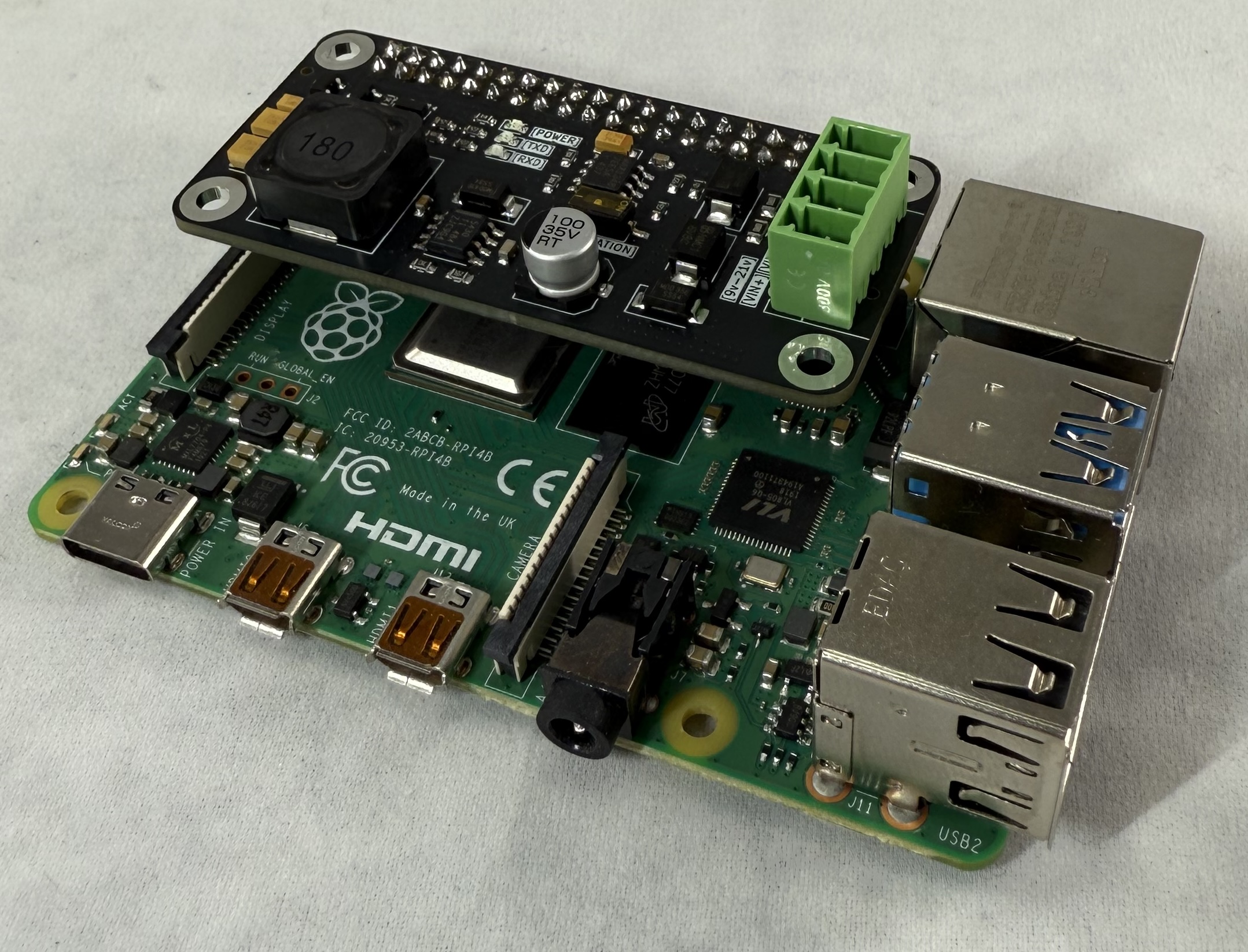
    • Same footprint as Pi Zero, and will also work on full size Pi
AqualinkD RS485 HAT on Pi Zero
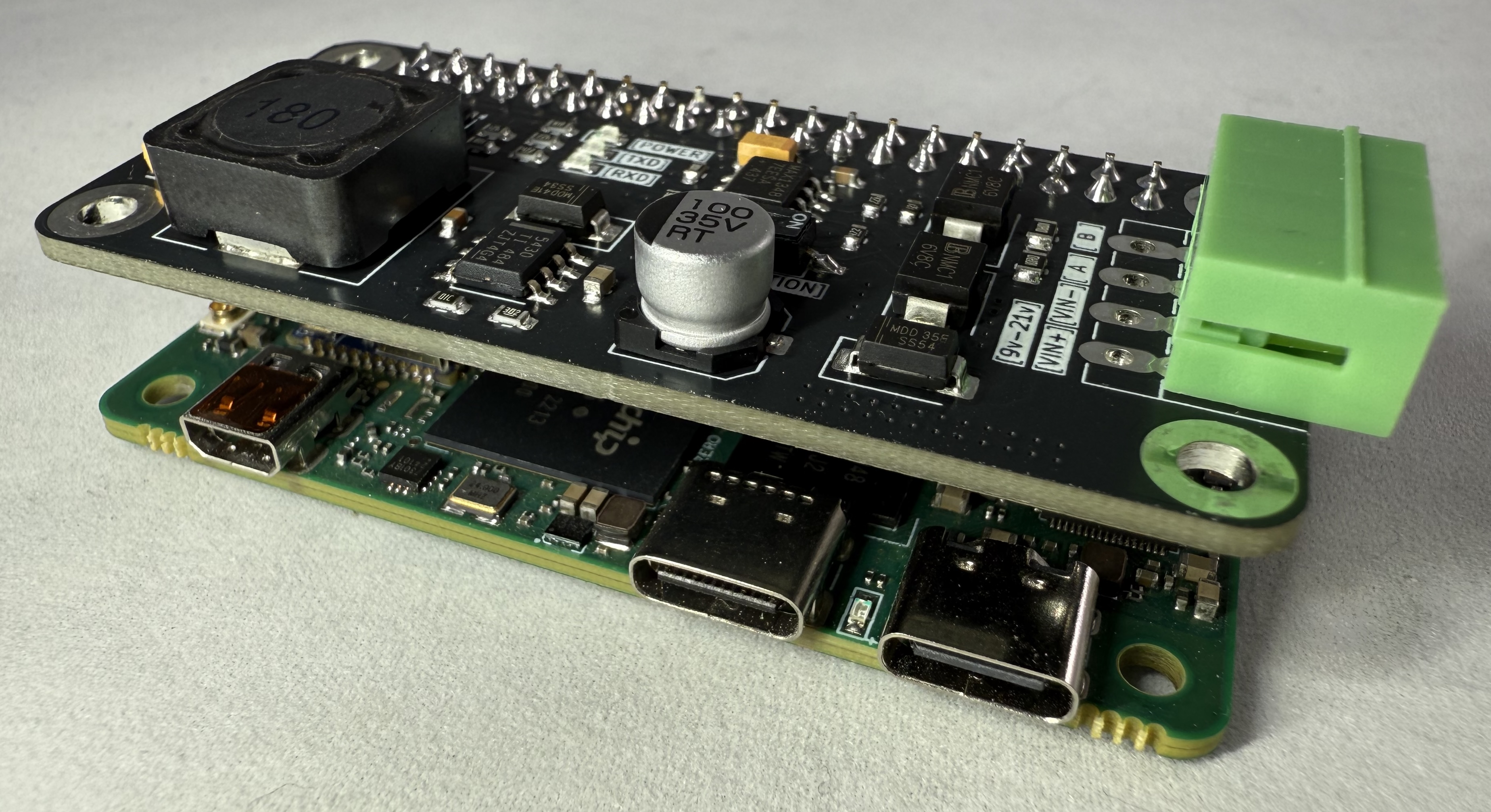
AqualinkD RS485 HAT on size Pi.  Note:- the RS485 connector orientation is different